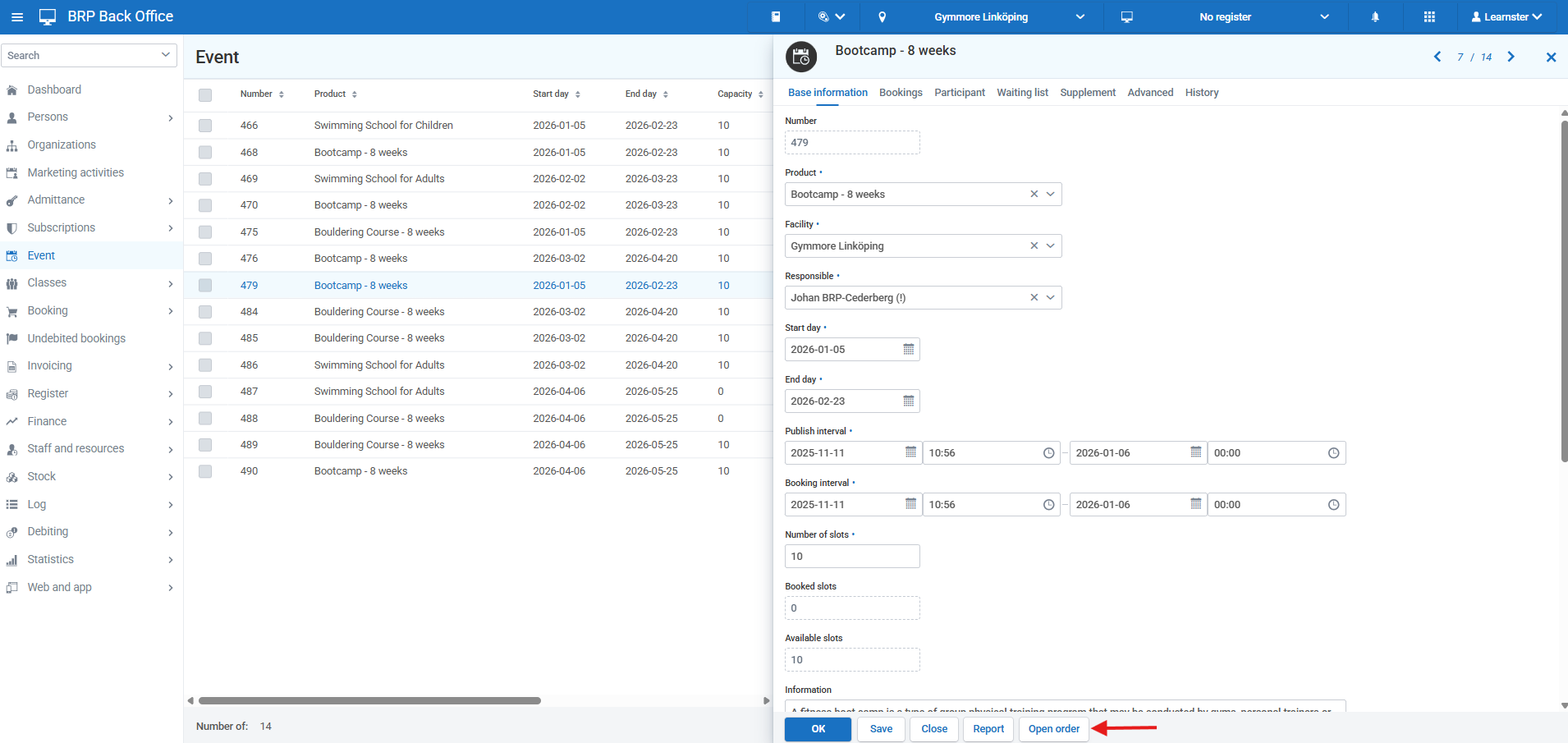
To be able to add an event in Resource Planner, the event must have bookings connected to it. To do this, go to Back Office > Events and open the event. Click the event and then click Open order.
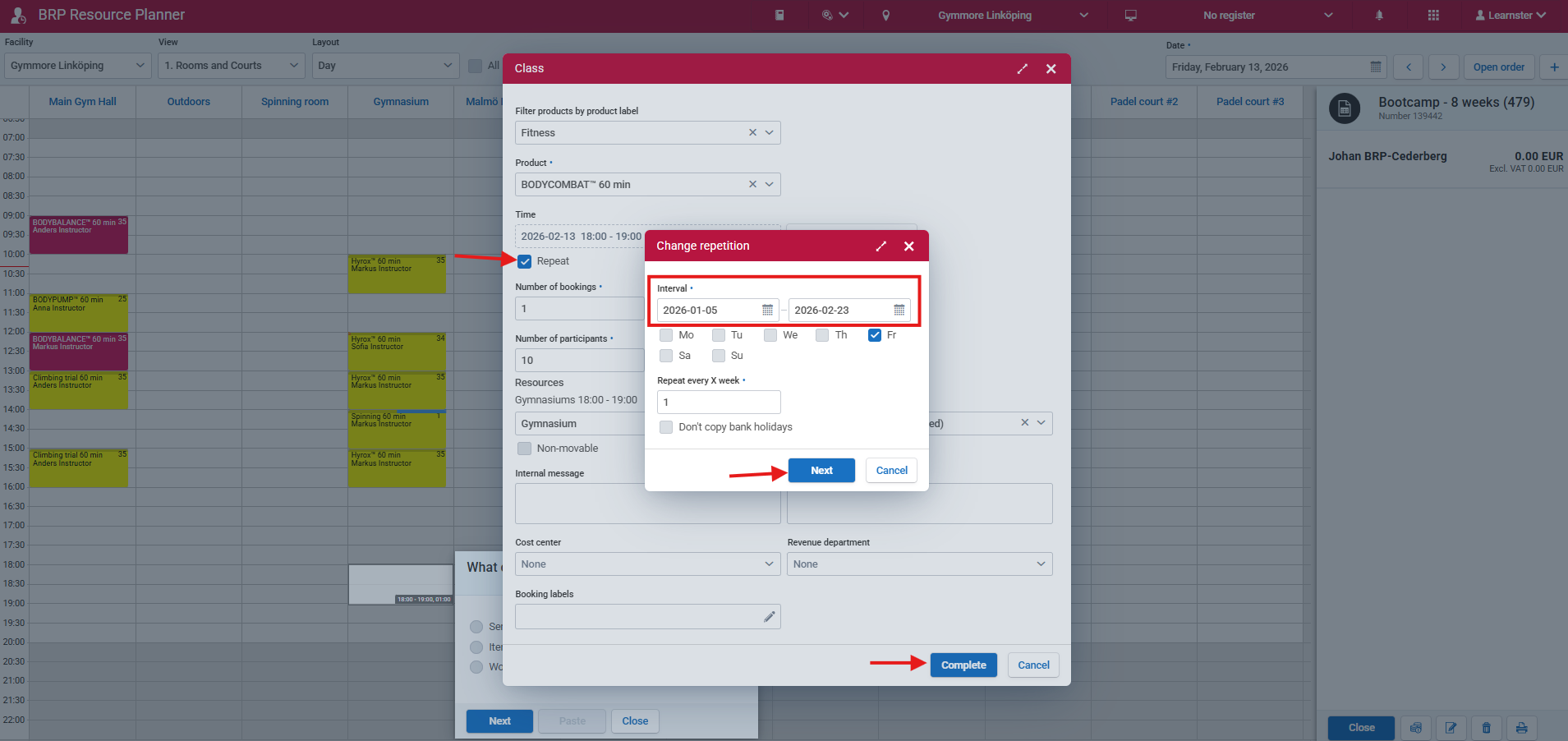
This opens a new tab with Resource Planner, where you can reserve rooms and any other resources needed. You may use any class product you like to create the order.
When you have verified that all necessary information is correct (product, time, resources), click Next and complete the booking. This will add all bookings to Resource Planner. All participants who join the event will then be automatically added to the participant list for all connected bookings.